Helping your family bear fruit.

Olive Shoots is a shared family calendar that keeps the list, so the day does not have to live in your head. The point is the few minutes at the end of the day, when you sit down and ask how it went.

$49.99 once · not per childDownload the app

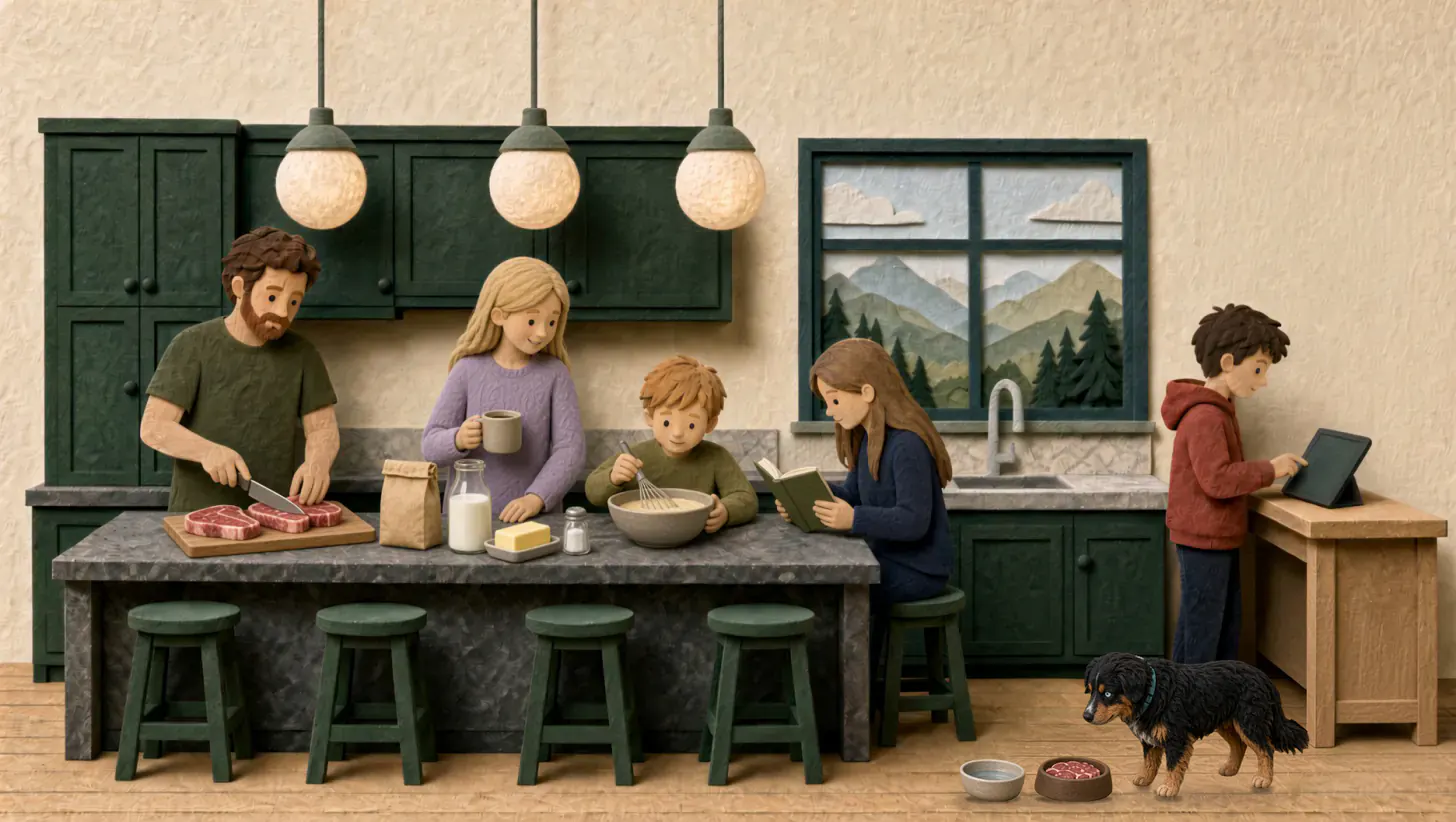
A felt kitchen in the morning: a father trims steaks, a mother with her coffee watches a boy whisk pancake batter, a girl reads at the island, and a boy checks the family tablet on a small desk while the dog eats from his bowl.
Charlie⭐ +3
⭐ 87🔥 4🎁 1
7 AMFeed the dog7
The name

Your children will be like olive shoots around your table.

Psalm 128:3

Olive shoots grow slowly. No fruit for years, nothing showy, just steady growth close to the trunk. Children grow the same way, close to home. Olive Shoots was built by a homeschool dad for his own family, and now it is for yours.

A warm welcome

Come in as you are.

You do not have to arrive caught up, and you do not have to pretend that your house already runs the way you hoped it would. Most of us are living inside the same ordinary friction: a chore forgotten, a reminder given again, a day still being carried in someone's head. That is not a failure of love. It is a load that has not yet been shared.

We will not hand you a device that promises to do the loving, and we will not measure your Tuesday against a family that has been at this for ten years. One meal and one honest question may be all you have. That is enough to begin.

Why we exist

A day in her head.

Olive Shoots exists because one mother was carrying three other days, and asking, again and again, whether everything in them had been done. The requirements were real. What wore her down was not the children so much as the fact that the whole of their day still lived in her. Another reminder, however well designed, would only have added to the noise. What she needed was for the reminding to stop being her job, so she could put those days down and carry her own.

Built for

A shared screen for the years they are still in the room.

Olive Shoots is built for three things.

  1. Before the phone

    The shared screen belongs to the years before they have one of their own. It is a small piece of that world, practiced while you are still in the room, so their first phone arrives as a step and not a cliff.

    No phone of their own needed
  2. The meeting

    The meeting is what the screen is for: a few minutes at the end of the day, on the nights you can. That is why the screen itself should be touched as little as possible.

    Report time · 8:30 PM
  3. Adults in training

    They are already becoming responsible. The list is how the day becomes theirs to carry, until the habit no longer needs the screen and the next right thing is already in them.

    Annie checked “Read for 20 minutes”
What it does

What the screen does, and what it leaves to you.

The list

The day, already laid out.

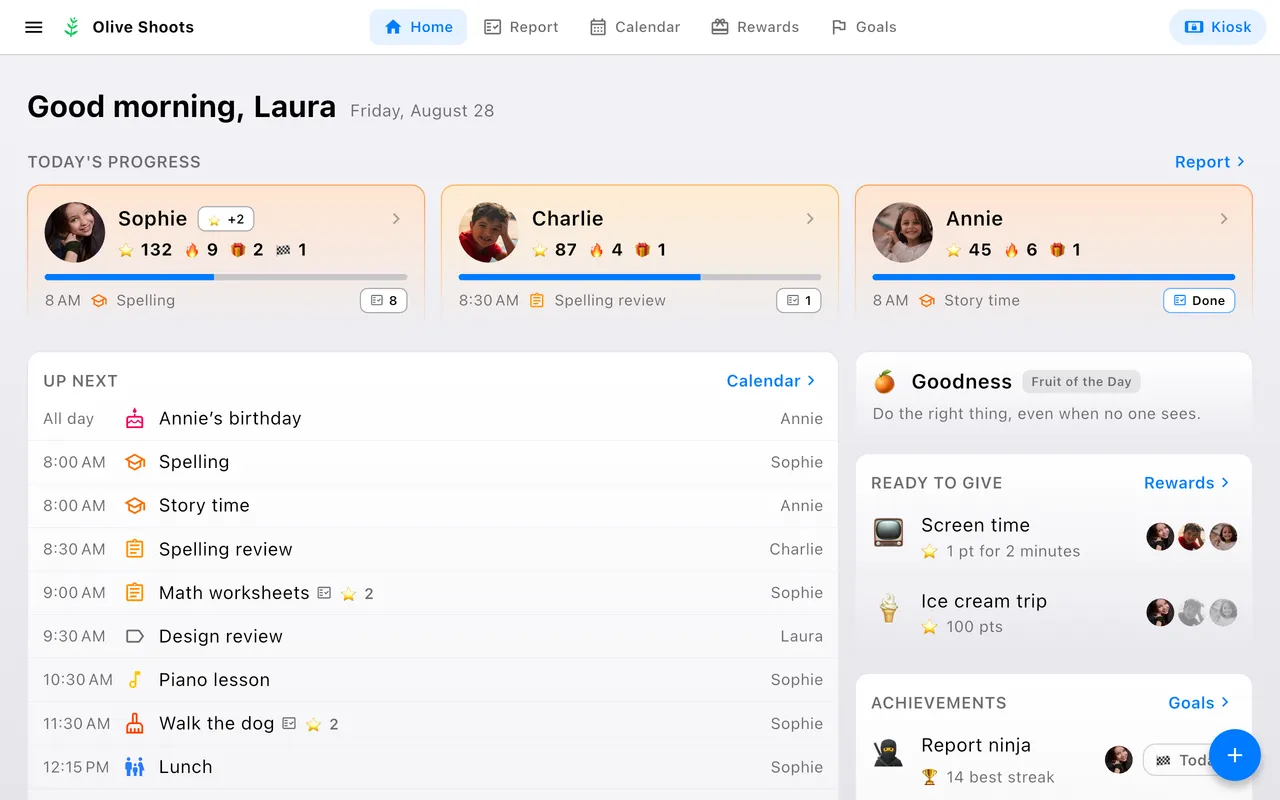
Open the app and the day is there: what is up next, how each child is doing, whose birthday it is, and the day's one fruit to talk about at dinner. The rewards they can afford and the goals just reached sit alongside, so what is worth noticing finds you instead of waiting to be looked for.

  • Every child at a glance
  • Birthdays and holidays
  • Rewards ready to give
  • Fruit of the Day
A tablet showing the parent's home screen: a card for each child with their points, streak and next task, an Up next list led by Sam's birthday, the Fruit of the Day, and the rewards each child can afford.
The meeting

What the family looks at together.

The report shows each child's day: what is done, what remains, and the points earned. You set the report time, so the day closes when your house does rather than at midnight. And when the thing was done but the box was forgotten, you can still mark it done from the report that day.

A phone showing Annie's daily report: two items still remaining, fifteen points earned, and a list of finished tasks crossed off below.
Points, rewards, and goals

Fruits, then rewards.

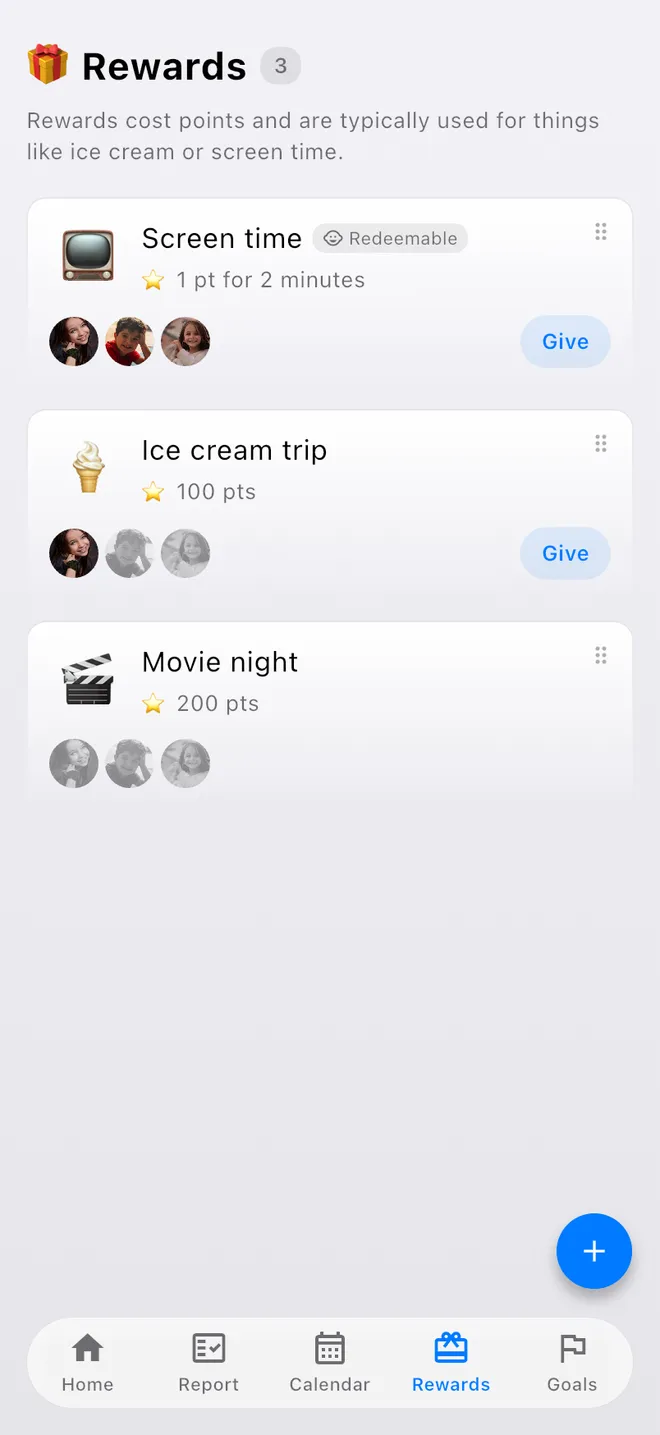
Chores earn points. Children spend them on rewards you set, like ice cream or screen time, or grow toward goals that cost nothing to reach: a two-week streak, a trophy that stays won.

A phone showing the rewards catalog: Screen time, priced by the minute and marked redeemable; an ice cream trip; and a movie night, each with the faces of the children who can afford it.
Kid Kiosk

The board grows with them.

That spare tablet in the drawer? Mount it by the kitchen door and lock it into kiosk mode, so children can check things off and nothing else. A child who is not reading yet checks a picture instead, with accessibility mode. A reader checks words. And with your permission, an older child can add and change their own events. Leaving kiosk mode needs the parent password.

  • Parent password
  • Auto-return home
  • No ads, ever
  • Accessibility mode
A tablet in kiosk mode showing Annie's day: a clock, her picture and name, and task cards like “Walk the dog” and “Violin practice”, each with a circle to check off.
Your calendars

A calendar you already know, and the ones you already keep.

For parents it works just like the calendar built into your phone, with the same day, week, and month views and the same quick editing. The difference is that any event can be made completable, worth points, and part of the daily report. Connect Google Calendar, or add iCloud, Outlook, and school calendars by link, and their events sit beside your family's own, read-only, in every view and on the kiosk.

  • Day · week · month views
  • Works offline
  • Google, iCloud, and school links
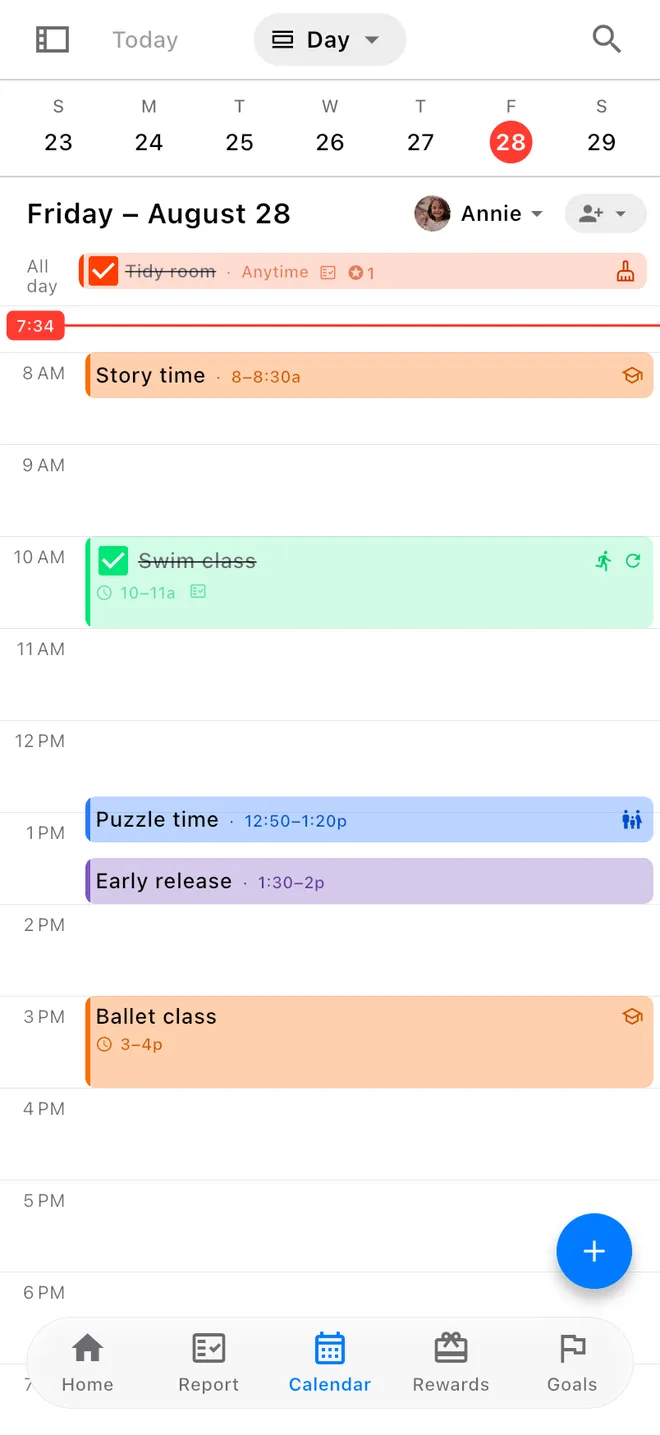
A phone showing a day of the family calendar: Sam's day of story time, swim class and karate, and the co-op calendar's nature study in its own colour among them.
Before you start

Short answers.

Four things parents ask before they start.

Is it just another screen?

Screens

It is one shared screen, and a quiet one: no feed, no ads, and nothing built to keep anyone watching. It is calm enough, and limited enough, that the louder kind is easier to recognize when it comes.

Will it do the parenting for me?

Parenting

It will not. The list keeps the day, but the conversation is still yours. We are not a substitute for the parent.

Can a spare tablet be our family calendar and chore chart?

The tablet

Yes. Mount it, lock it in Kid Kiosk, and it is the family board: the calendar, the chore chart, and the points. There is no hardware to buy and no subscription.

Is it $49.99 every month?

The fee

Once, for the whole house. If it is not working for the family it was made for, we would rather give the money back: ask within 14 days for a full refund.

Better than last week.

Our promise is that the family comes before the product. If a feature ever worked against that, we would take it out, even if people liked it. The only comparison that belongs here is whether this house is a little kinder, and a little steadier, than it was last week.

The family, first

One fee. Not per child. Not monthly.

The contract is smaller, and it asks something of you. You are the customer, not the product.

Pay once, then download Olive Shoots from the App Store or Google Play, or use it right in the browser.

Download on the App StoreGet it on Google Play
Olive Shoots, the whole familyonce$49.99
Use your own devicesYes
Unlimited children, up to two parentsIncluded
All platformsIncluded
All future updatesIncluded
SubscriptionNone
No ads, and we never sell your dataAlways
14-day money-back guarantee14 days
Jim and Ashley stand together in tall autumn grass, with red and orange trees behind them.
About us

Built at our own table.

I am Jim McAndrew. I have written software for more than twenty years, and I founded Dronelink, which makes flight automation for drones. Ashley and I homeschool our children, and I am an elder and the worship leader at our church.

Olive Shoots was built in our own house, for our own children, after the reminding had quietly become the parenting and the day still lived in one person’s head long after they had moved on. We are a family who still keeps a table, a story, and a day that has to be lived, and we wanted a shared screen that would help with the list without asking to become the center of the room. The list is there so the requirements are visible and the parent does not have to be the only one who remembers them. The meeting at the end of the day is the real point of the screen. That meeting works better when the whole house is in it, and it works better still when a father shows up to sit beside the mother who has been carrying the day.

We made this because we are a family trying to use the ordinary tools of this century without handing our children over to them, not because a company was looking for another way to charge by the child or by the month. There is one fee. It is not a subscription, and it does not grow with each child. The measure, for us, is the number of homes it actually helps, not the model that got it there. You do not have to arrive with everything already in order. One meeting is enough to begin.

Jim and Ashley